
Software
What Is The Benefit Of Using SOAP Notes? + Templates

SOAP notes give you a simple, repeatable way to document every patient visit. Instead of scribbling different details for each client, you follow the same four-part structure every time. Yes, taking notes adds a few minutes to your day. But the payoff is worth it: clearer records, better treatment decisions, and less time spent trying to remember what happened last session.
TL;DR: The benefit of using SOAP notes is a consistent, repeatable record that improves care and saves time. SOAP notes let you track client progress across visits, share details cleanly with other providers and insurers, and settle claims faster. Digital notes cut writing time so you focus on clients.
In this guide, you'll learn:
- What SOAP notes are and why they help
- Whether SOAP notes are mandatory
- How they make your clinic run more smoothly
- The advantages of digital notes over paper
- What to include in a SOAP note template
- How to customize templates for your practice
- What each letter in "SOAP" stands for
- When it makes sense to consider SOAP note software
Let's start with the biggest benefit.

What Is The Benefit Of Using SOAP Notes?
The main benefit is consistency. SOAP notes give you one universal system for recording treatment details and progress benchmarks. Because every note follows the same format, they're quick to write and easy to share.
That consistency helps you understand each client's history at a glance. When you can see the full picture, you can spot patterns, judge whether a treatment is working, and adjust your plan with confidence. If you want a deeper walkthrough of the writing process, see our guide on how to write effective SOAP notes.
SOAP notes can also help you:
- Track client progress
- Stay organized
- Share information with other healthcare providers
- Share information with insurance companies
- Reference previous sessions
Track Client Progress
Good notes record what you did and how the client responded. Over time, they show improvements, regressions, and what's actually working.
You can't rely on memory alone. After dozens of appointments, the details blur together. Written records let you recreate each session accurately, so your care stays on track.
Stay Organized
A standard form creates consistency across your files. When every note looks the same, information is faster to scan and easier to find.
Want a head start? You can download a free SOAP note template and start using the same structure for every client today.
Share Information With Other Healthcare Providers
Clients often see more than one practitioner. A physiotherapist, a chiropractor, or a family doctor may need to know what you've been treating.
Clean, professional SOAP notes make that hand-off easy. They also build credibility, showing other providers that you document care carefully.
Share Information With Insurance Companies
Insurers often ask for treatment details before they approve a claim. That can include the injury description, the client's progress, and the number of sessions.
Your SOAP notes already hold this information. In many cases they can double as treatment plan documentation, so you don't have to build new paperwork from scratch. For help mapping out longer-term care, see how to design a massage therapy treatment plan.
Share Information In Multi-Therapist Clinics
If you work in a clinic with several therapists, shared notes keep everyone on the same page. When one therapist covers for another, consistent records make the switch seamless. The client gets the same quality of care no matter who's in the room.
Reference Previous Sessions
Before each visit, a quick look back reminds you what helped last time. You can spot recurring themes, identify what triggers a flare-up, and deliver more effective treatment.
It also impresses clients. When you remember the details of their history, they feel heard and cared for.

Are SOAP Notes Mandatory?
In most places, SOAP notes aren't legally required. But they're highly recommended for massage therapists, physiotherapists, occupational therapists, and acupuncturists.
Here's why. Standardized documentation keeps care consistent from visit to visit. It protects you in clinical and insurance situations, and it supports better treatment decisions. Even when the law doesn't demand it, good documentation is simply good practice.
How Do SOAP Notes Help With Clinical Efficiency?
Efficiency comes from having the right information in the right format. When your notes are standardized, you make faster decisions because the details you need are always in the same spot.
Consistent records also make coordination easier. Sharing information with another provider or covering for a colleague takes seconds, not a hunt through mismatched files.
Once your notes follow one structure, the next win is spending less time managing them. The right tools take repetitive writing and filing off your plate, so more of your day goes to client care. If mismatched files slow you down, practice management software built for massage therapists keeps every record in one consistent place.
If you're weighing software to support this, review the 6 things to look for in SOAP notes software: integration, customization, ease of use, secure storage, digital intake forms, and accessibility.
.avif)
What Are The Advantages Of Digital SOAP Notes?
Digital SOAP notes save you time, save space, and let you share records quickly and securely. Your notes live in the cloud, so you can open any file in a click. There's nothing to print, fax, or file away.
To see why that matters, the American Medical Association reported that in 2024 U.S. physicians spent about 13 hours a week on indirect patient care like documentation, order entry, and reviewing results. Documentation eats up serious time across healthcare, and digital SOAP notes claw back much of it by removing repetitive writing and filing.
Paper is fading fast, and it's easy to see why. Here's what digital notes give you:
- Secure cloud storage that supports HIPAA compliance
- Access anywhere, anytime from your laptop, tablet, or phone
- Faster form-filling so you spend less time writing
- No filing and no lost paperwork
- Flexibility for home visits and admin done from home
- Easy sharing within your practice
- Voice-powered SOAP notes use AI to help you speed up charting and flag treatment themes to consider, improving speed and client care
Tools like digital SOAP notes software bring these advantages together in one place.
What Should You Include In A SOAP Note Template?
A solid template follows the four SOAP sections:
- Subjective — what the client reports (pain, symptoms, how they feel)
- Objective — what you observe and measure as the therapist
- Assessment — your evaluation of what's going on
- Plan — treatment goals and expected outcomes
Always note any changes from the previous session, so progress is easy to track.
Beyond the four sections, a strong note also captures:
- Medical history
- Current medications
- Precautions and contraindications
- Techniques you used
- How the client responded
- Self-care and follow-up recommendations
- Any communication with other providers

How Do You Customize SOAP Note Templates?
Every practice is a little different, so your notes should fit the way you work. With ClinicSense, you can build templates from scratch and save them for regular use or for a specific client.
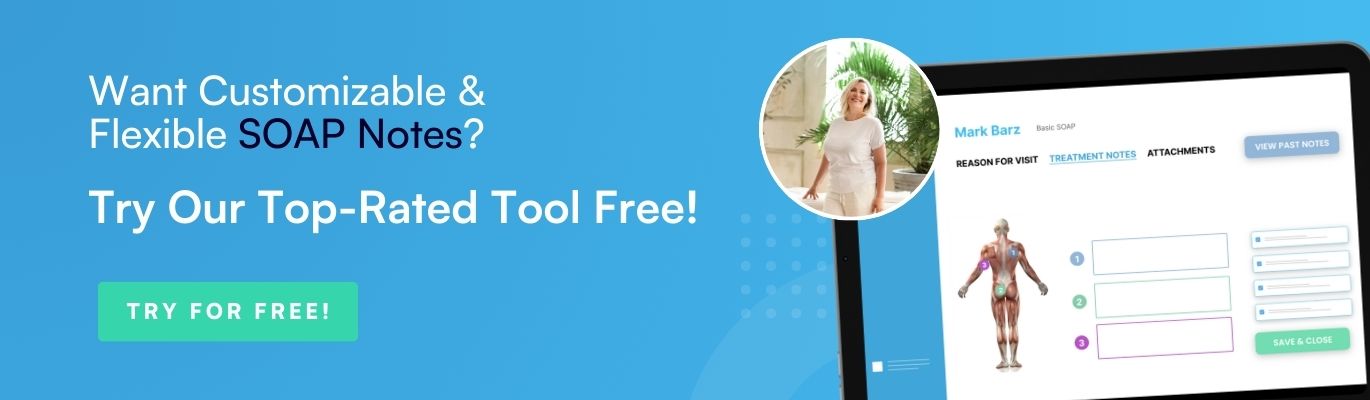
Point-and-click short codes make this even faster. A short code expands into full clinical terminology, so you can reuse your setup without retyping the same phrases. The same point-and-click charting tools let you mark body areas visually, so a full note takes clicks instead of sentences. You can also copy a previous note when a client returns for similar care.
What Does SOAP Note Stand For?
SOAP stands for Subjective, Objective, Assessment, and Plan. It's the standard method for documenting patient care across healthcare.
Here's what each section covers:
- Subjective: The client's own report — their symptoms, concerns, and goals in their words.
- Objective: Your measurable observations, such as range of motion, posture, or tenderness.
- Assessment: Your professional evaluation that ties the subjective and objective details together.
- Plan: The next steps — treatment goals, techniques, and follow-up.
Used together, these four sections give you structured, consistent documentation. They ensure continuity of care, make collaboration easier, and support evidence-based decisions. They also help protect you against liability by recording informed consent and any contraindications.
What Does Using SOAP Notes Look Like In Practice?
Here's how the habit plays out in a real week.
A returning client books a deep-tissue session. Before they arrive, you open their last note in a click and see you worked on the left shoulder and gave them a doorway stretch. You ask how the stretch went, and their answer becomes your new Subjective line.
During the session, you tap the affected muscles on a body chart instead of writing them out. Afterward, you spend two minutes finishing the note while the details are fresh, then move to your next client.
At month's end, an insurer requests progress records for that client. Because every visit followed the same structure, you export the history in seconds. There's no digging and no reconstructing sessions from memory.
Three small habits make this work:
- Chart right after each session, not at the end of the day
- Reuse a template for each service type so nothing gets missed
- Review the previous note before every visit
Software makes these habits easier: customizable templates and short codes speed up writing, point-and-click charting captures body areas fast, and voice-powered notes let you dictate a session into a structured draft. Secure sharing keeps records ready for the providers and insurers who need them.
Why Should You Consider SOAP Note Software?
As your practice grows, writing notes by hand gets harder to keep up. SOAP note software takes the pressure off in a few key ways:
- Saves time and boosts efficiency by automating how notes are created and organized. Some tools even let you dictate a session and auto-transcribe it into a structured SOAP draft you review and save.
- Improves accuracy and completeness with built-in prompts and reminders, plus autosave so you never lose your work.
- Improves communication through fast, secure sharing inside your practice.
- Helps you stay compliant with record-keeping requirements, backed by HIPAA and PIPEDA compliance.
Not sure where to start? You can see a quick walkthrough before you commit to anything. You can also get started with ClinicSense and see how digital notes fit your workflow.
Free Printable SOAP Notes Template
We've put together a free printable SOAP note template you can use for clients visiting you to resolve a specific pain point.
You can download it HERE.
Of course, as you grow, you might find running your business via pen and paper is simply not scalable. As you get more clients and book more appointments, the paperwork starts to pile up, becoming difficult to keep organized and even taking up too much physical space in cabinets.
Once you switch to clinic management software, you'll find:
- You spend less time managing paperwork
- You spend more time caring for clients
- You feel the relief of being more organized
If you are ready to see how clinic management software can make your life easier, you can click here to try ClinicSense for free.
.avif)

Frequently Asked Questions
What does a good SOAP note example look like?

What are the most common SOAP note mistakes to avoid?
How long should it take to write a SOAP note?
Should I switch from paper SOAP notes to digital?
Do I need to keep SOAP notes HIPAA compliant?
How does SOAP note software choose the right template?

ClinicSense Content Studio develops educational resources for health and wellness professionals who want to run stronger, more sustainable businesses. We focus on clear, trustworthy guidance across marketing, operations, client experience, and practice growth.


A better way to run your practice.

Start your 14-day free trial today.
